NCR template: free non-conformance report and NCR register (Excel and PDF)
Deskely Completions team Singapore
A non-conformance report (NCR) records that something does not meet a requirement: a material, a weld, an installation, a document. It says what was found and against which requirement, what was done about it, why, and how the fix was verified.
This page gives you a free NCR template in Excel and PDF, with an NCR register to track every report to closure, and explains how to fill one in.
- Quote the requirement that is not met, not just what is wrong.
- Contain first: quarantine or tag the item so it is not used by mistake.
- The disposition says what happens to the item: use as is, repair, rework or reject.
- An NCR is closed only when the action has been verified.
What is a non-conformance report?
An NCR is the formal record of a non-conformity: a product, process or document that does not meet a specified requirement. ISO 9001 requires nonconforming outputs to be identified and controlled (clause 8.7), and on a capital project the NCR is how that happens between contractor, vendor and client.
An NCR is different from a punch item. A punch item is incomplete or damaged work that will be finished; an NCR records a departure from the specification that needs a decision, often from engineering and the client.
The template
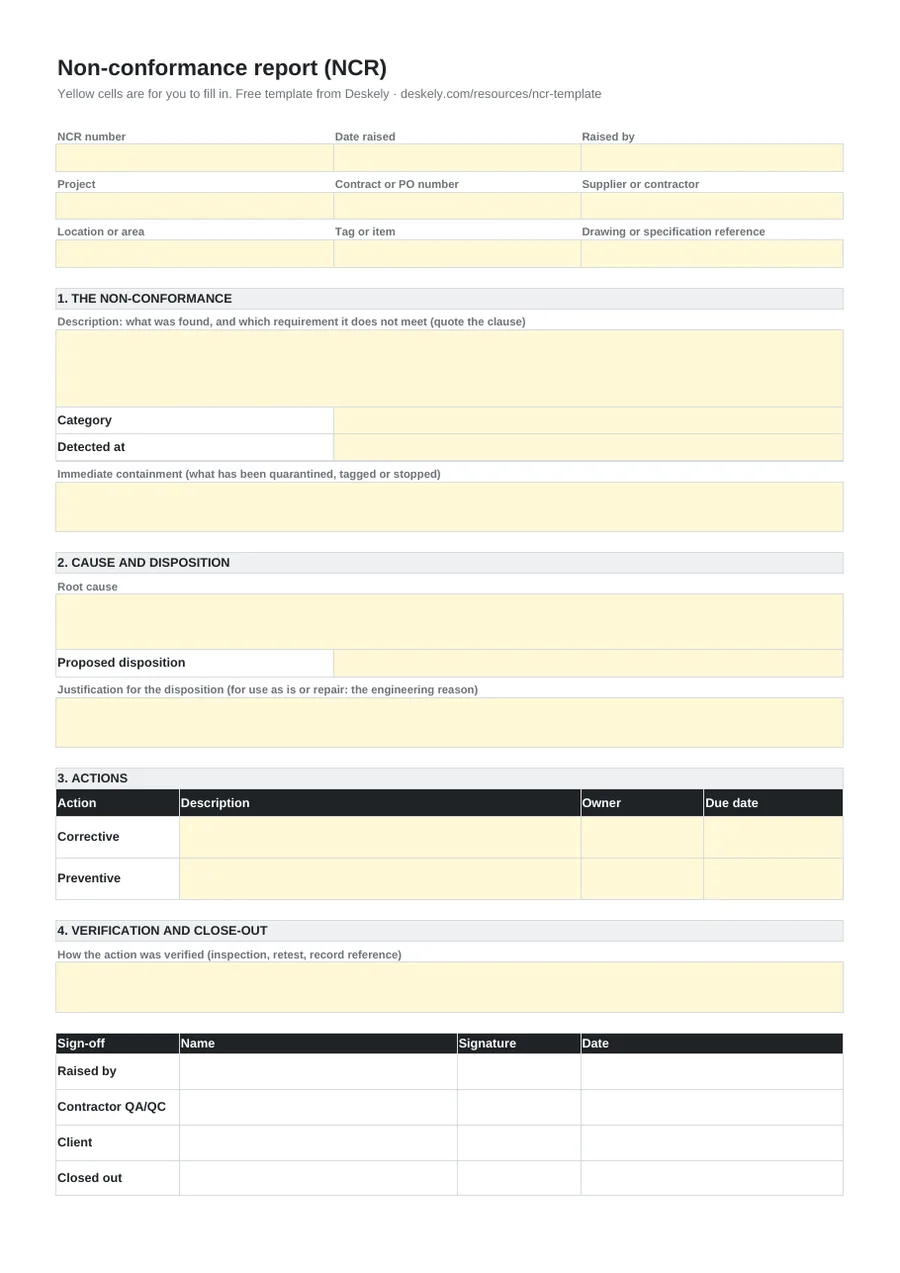
The form follows the life of an NCR in four parts: the non-conformance, cause and disposition, actions, and verification and close-out. The register on the second sheet keeps one line per NCR with its status, so open NCRs are counted for you.
Dispositions
| Disposition | Meaning | Usually needs |
|---|---|---|
| Use as is | The item is accepted without change; the departure does not affect fitness for purpose. | Engineering justification and client approval (a concession) |
| Repair | The item is made fit for purpose but will not fully meet the original requirement. | An approved repair procedure and client approval |
| Rework | The item is brought fully into line with the requirement. | Re-inspection |
| Reject | The item is scrapped or replaced. | Replacement and re-inspection |
| Return to supplier | The item goes back to the vendor to be replaced or corrected. | Supplier action and re-inspection |
How to raise and close an NCR
- 01Describe it
State what was found, where, on which tag or item, and quote the requirement it does not meet. Add photos.
- 02Contain it
Tag, quarantine or stop the work so the item is not used or covered up.
- 03Find the cause
Work out why it happened, not just what happened.
- 04Decide the disposition
Propose use as is, repair, rework, reject or return, with the justification, and get it approved.
- 05Act and verify
Carry out the corrective action, verify it by inspection or retest, and close the NCR with the record reference.
NCRs at handover
Open NCRs block handover, and closed ones belong in the dossier. On a large project the difficulty is linking each NCR to the tags, test packs and certificates it affects.
In Deskely, findings are held against the tag they concern, so open items show on the subsystem and the certificate they hold back.
The Deskely products for this
Frequently asked questions
What is an NCR in construction?
A non-conformance report: the formal record that work, material or a document does not meet a specified requirement, with the decision and action taken.
What should an NCR include?
A number and date, the item and location, a description quoting the requirement not met, containment, root cause, disposition, corrective action, verification and sign-off.
What is the difference between an NCR and a punch item?
A punch item is unfinished or damaged work that will be completed. An NCR records a departure from the specification that needs a formal decision.
Who closes an NCR?
Usually the contractor's QA/QC, after the action has been verified, with the client's acceptance where the disposition needed their approval.
- In production since 2014
- Thousands of daily users
- On MODEC FPSO projects since 2016